


TikTok Apps - Free Download & Official Reviews

TikTok Download
 4.8
4.8
How to Obtain ItTikTok MobileOn Android:1. Open Google Play Store.2. Select the search bar and enter “TikTok”.3. Tap TikTok in the search results.4. Choose Install from the dropdown where it is presented and let the file download. The downloading page can also be found from here https://play.google.com/store/apps/details?id=com.zhiliaoapp.musically&hl=en_US.5. Once installed tap ‘Open’ to begin using the app.On iOS:1. Go to App Store on the iPad or iPhone.2. If you are on the “Search” tab, simply type in” TikTok” into the search field.3. Search for TikTok in the search results.4. Download the application by tapping ‘Get’. Or you can straightforwardly finish this step from here https://apps.apple.com/us/app/tiktok/id835599320. You will be asked to confirm via Face ID or Touch ID, or your password.5. After you’ve installed it, just tap ‘Open’ to arrive in TikTok.TikTok PC1. Open TikTok’s official website here https://www.tiktok.com/aboutusing any browser on your computer and scroll all the way to the bottom.2. Select the option right for your device like App Store download, Amazon Appstore download, Microsoft Store, etc.3. Go through the installation process of it.4. Tap TikTok icon from the home screen and register.

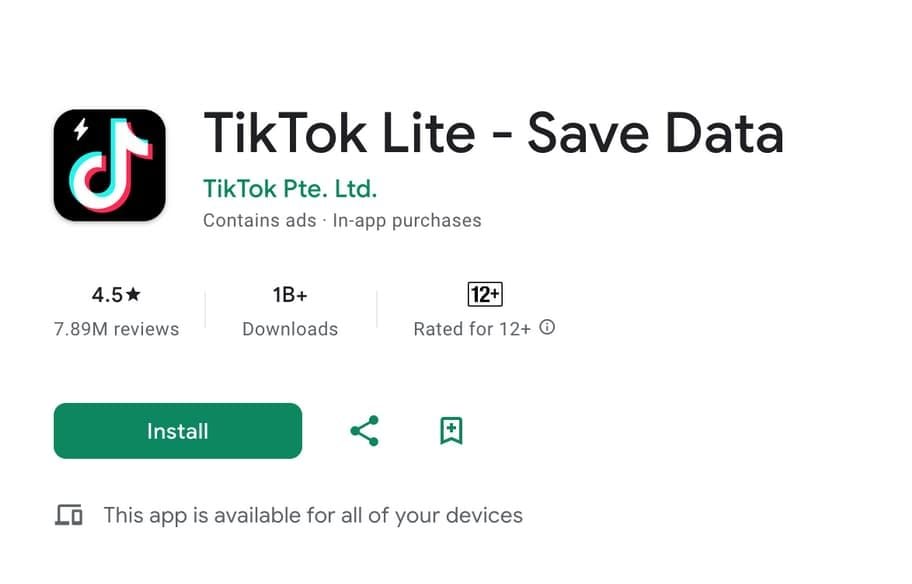
TikTok Lite Installation
4.8
TikTok Lite MobileOn Android,1. Open the Google Play Store.2. Search for “TikTok Lite.”3. Select it from the results and click “Install.” Alternatively, find this step from here https://play.google.com/store/apps/details?id=com.ss.android.ugc.tiktok.lite&hl=en_US.4. Tap “Open” to start using the app when it is installed.On iOS:1. On your iPhone or iPad, open the App Store.2. Click the “Search” tab and type “TikTok Lite.”3. Tap TikTok Lite in the search results. More directly, visit here https://apps.apple.com/za/app/tiktok-lite/id6447160980to view the downloading page.4. Tap “Get” to download the app. You might be prompted to confirm with Face ID, Touch ID, or your password.5. Tap “Open” after installation to launch TikTok Lite.

Post and Go Live on TikTok
4.8
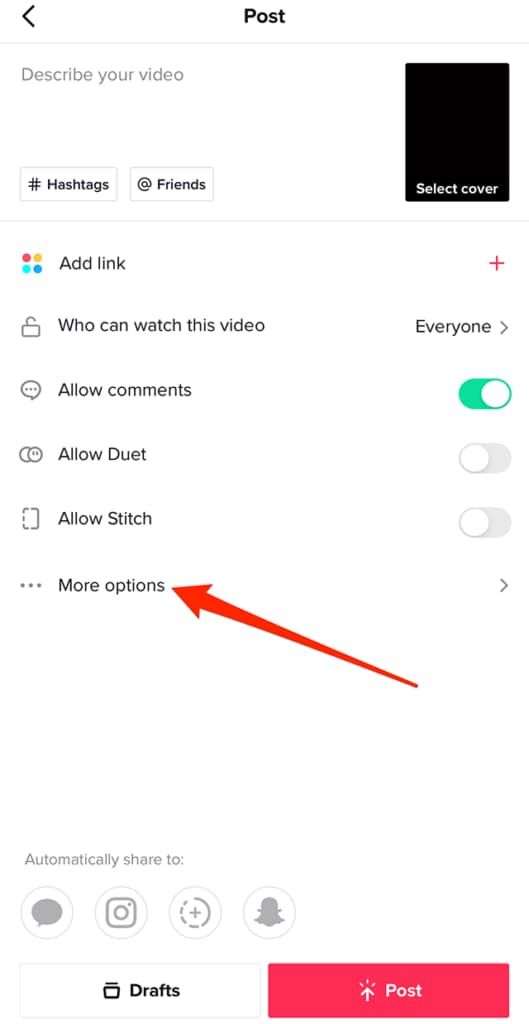
How to Make ContentPublishing Videos1. Open TikTok and click the ‘+’ button at bottom of screen.2. Tap the red record button, then hold to record a video, or choose ‘Upload’ to record from your gallery.3. You could add filters, effects, text, or stickers on your video as you edit.4. Before tapping ‘Post’ add a caption, hashtags, and select privacy settings.Going Live1. You should at least have 1,000 followers, or you’ll miss live streaming features.2. And tap on the ‘+’ icon like you are about to upload a video.3. At the bottom of the screen you can swipe to choose ‘Live’.4. If you want to, add a title to your live stream and tap Go Live.

Add Trending Songs to Your TikTok Videos
4.8
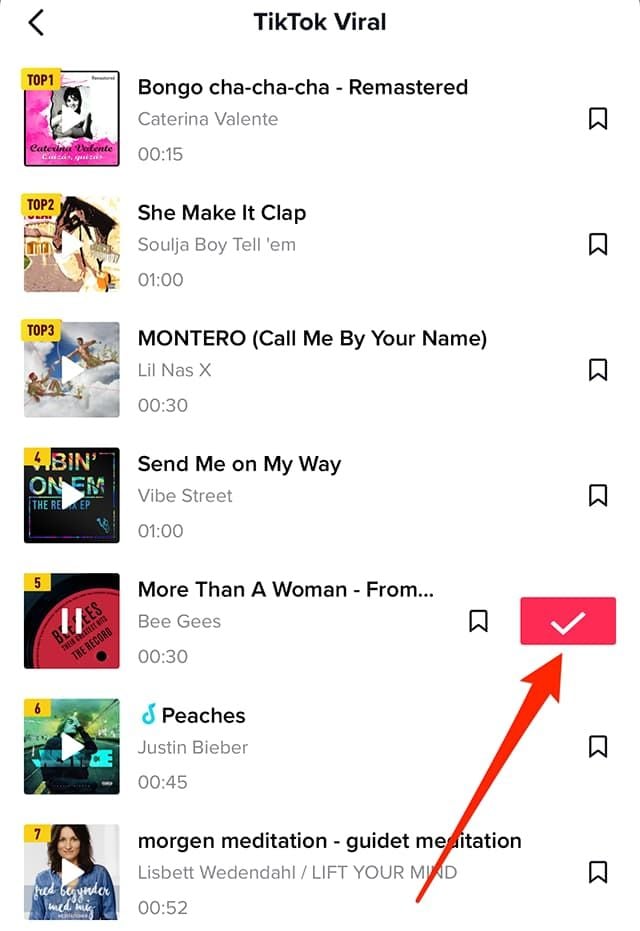
How to Add Songs1. First, create or upload your video by tapping the “+” icon.2. Tap “Sounds” at the top of the screen before recording or after uploading a video clip.3. Browse popular sounds or search by using the search bar to find any particular songs.4. Preview a song by tapping it, and if you like it tap ‘Checkmark’ to add it to your video.5. Before finalizing your post, you can drag your song on the timeline to where you wish it to become play in your video.

Update TikTok
4.8
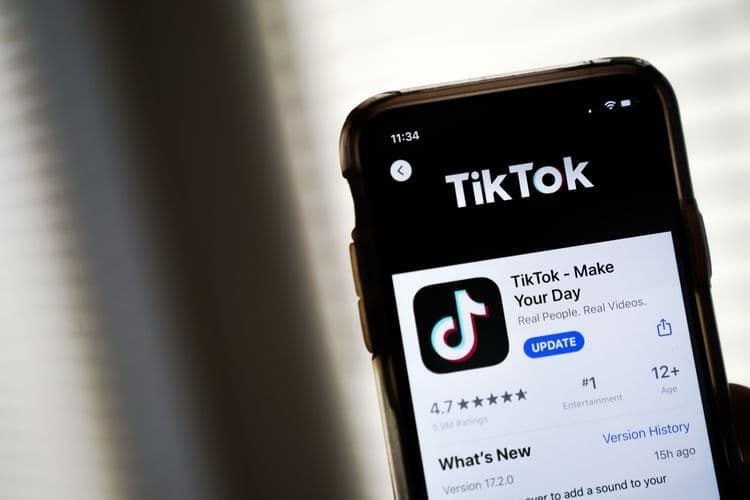
Steps to Update TikTokOn Android1. Open Google Play Store.2. Tap on “My apps & games.”3. Find TikTok in the list; if there is an update, tap “Update.”On iOS1. Tap App Store.2. Tap “Updates” in the bottom right corner.3. Locate TikTok; if it says there’s a pending update, tap “Update.”On WebFor the web version, it automatically updates as it is run through the browser.

Save Videos from TikTok
4.8
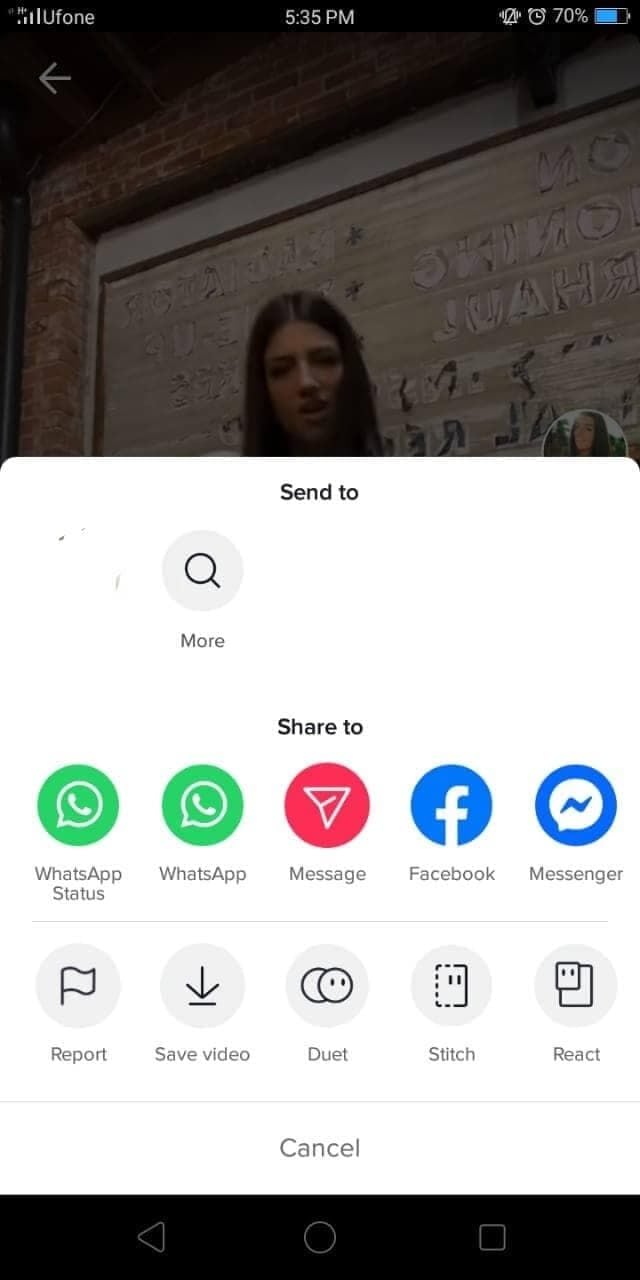
Steps to Download Videos1. Open TikTok and find a video you would like to save.2. Tap the “Share” button (the arrow icon).3. If the creator has this option enabled in their settings, tap “Save Video”. The video will be saved directly to your device’s gallery.
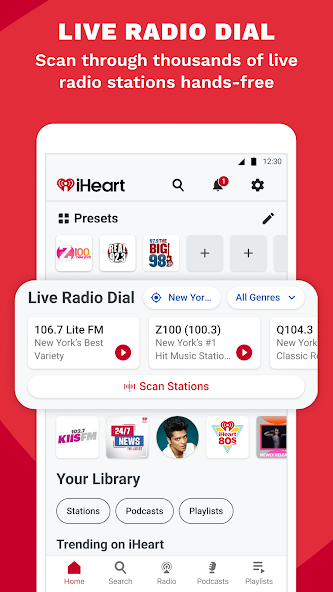
From Live Radio to Podcasts: Your All-in-One Audio Hub Guide
4.6
iHeartRadio is more than a music app. It is a complete audio hub that brings together three powerful features in one free platform.
L

NewsBreak
4.6
Take a deep dive and learn all about these amazing capabilities and features of this vital day-to-day tool!

Use Google for Homework Solution
4.1
Step 1: Launch Google and Go to Google LensBegin by launching Google on your Android or iPhone. Look for the camera icon, Google Lens, normally displayed prominently in or beside the search bar. Tap on the icon in order to enter Google Lens mode. If prompted, grant the necessary permissions (such as camera and storage) for the app to photograph correctly.Step 2: Choose or Take the Homework ProblemAfter activating Google Lens, decide whether you want to take a new picture or use an old one. Ensure the picture taken is clear and the problem is fully visible and readable. If parts of the picture are unclear, retake the picture.Step 3: Highlight the Problem AreaAfter you’ve taken or selected the picture, Google Lens displays overlay options. Zoom in or drag the focus box on top of the specific area of the assignment that must be solved with your finger. It could be an advanced math problem, a diagram in your physics class, or even the text in your textbook. Selecting the exact area enhances recognition accuracy as well as analysis on the related content.Step 4: Retrieve and Analyze InformationOnce you’ve underlined the area of concern, tap the “Identify” or “Search” icon. Google Lens scans the picture and displays a list of possibilities for you. Carefully read the options displayed. If numerous answers are listed, scroll down to the most appropriate answer. You can even tap on particular answers for additional description, usually linked with reputable academic websites or other digital texts.
ARCHIVE
Category
- Communication
- Tools
- Shopping
- Lifestyle
- Entertainment
- Finance
- Art & design
- News & Magazines
- Productivity
- game
- Action
- Music & Audio
- Music & Audio
- Education
- Education
- Business
- Photography
- Books & Reference
- Business
- Health & Fitness
- Medical
- Educational
- Casual
- Video Players & Editors
- Maps & Navigation
- Adventure
- Sports
- Puzzle
- Arcade
- Personalization
- Art & Design
- Action
- Travel & Local
- Social
- Food & Drink