
Phone Apps - Free Download & Official Reviews

Phone
Download PayByPhone

Download PayByPhone

4.5

Steps for Android Devices:Android phones or tablets:1. Navigate to the Play Store app on an Android based phone or tablet device that you are using.2. In the search bar, enter PayByPhone. Even more conveniently, visit the downloading page from here directly https://play.google.com/store/apps/details?id=com.paybyphone&hl=en_US.3. Click the app and click “Install.”4. Let it install and open completely.Steps for iOS Devices (iPhone/iPad):1. Open the Apple App Store using your device.2. In the search field, type “PayByPhone Parking.” More straightforwardly, navigate the same result from here https://apps.apple.com/us/app/paybyphone-parking/id448474183.3. Tap “Get” and authenticate if required.4. Allow it to download and install, then launch the application.Steps for PC/Mac Users:1. Open your web browser and go to www.paybyphone.com.2. In the top-right corner, select either “Sign Up” or “Log In.”3. Continue through the prompts to either sign up or recover your stored credentials.4. Bookmark this page for future quick access.You will be asked to make an account afterward with your e-mail address, mobile number, and vehicle information.

Download PayByPhone
Pay and Extend Parking

Pay and Extend Parking

4.5

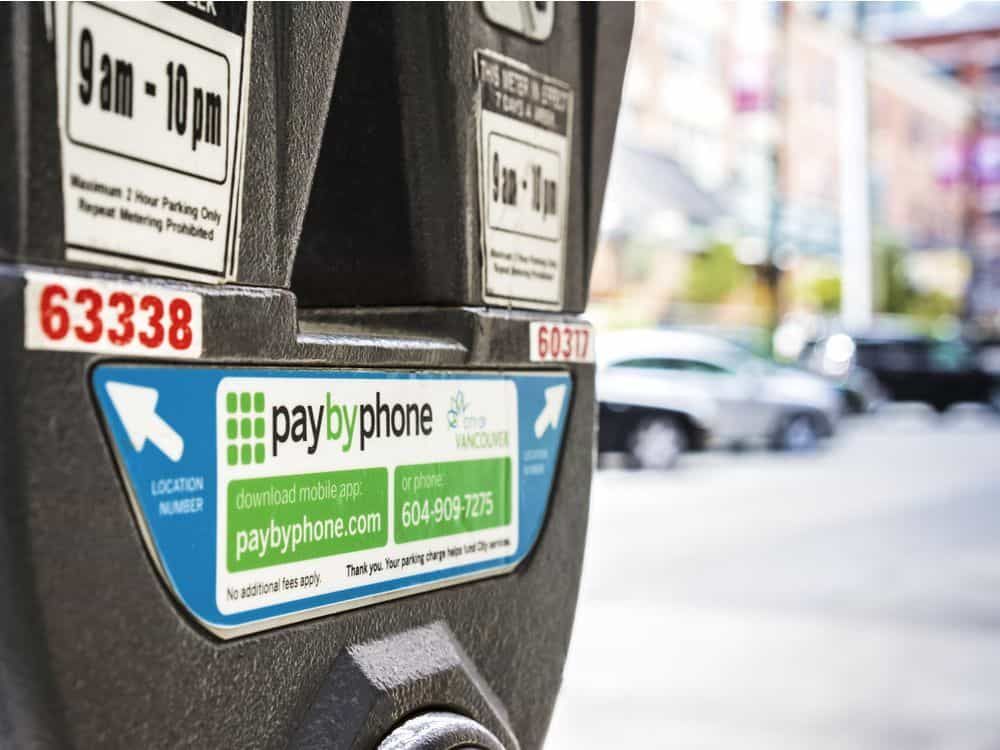
Steps to Pay for Parking:1. Access PayByPhone application or log into www.paybyphone.com.2. To begin, enter your User ID and Password for the sign in if you have an account otherwise you can create a new account.3. Type in the parking location number4. Specify the duration of your parking session.5. Confirm the payment amount and select your preferred payment method.6. Tap “Confirm Payment.” You’ll receive a confirmation notification.Steps to Extend Parking Time:1. Open PayByPhone app.2. Navigate to the “Active Parking Session” tab.3. Tap “Extend Time.”4. Select the additional time required and confirm the new payment.5. Receive an updated confirmation for the extended session.
Pay and Extend Parking
Ensure Security During Using PayByPhone

Ensure Security During Using PayByPhone

4.5

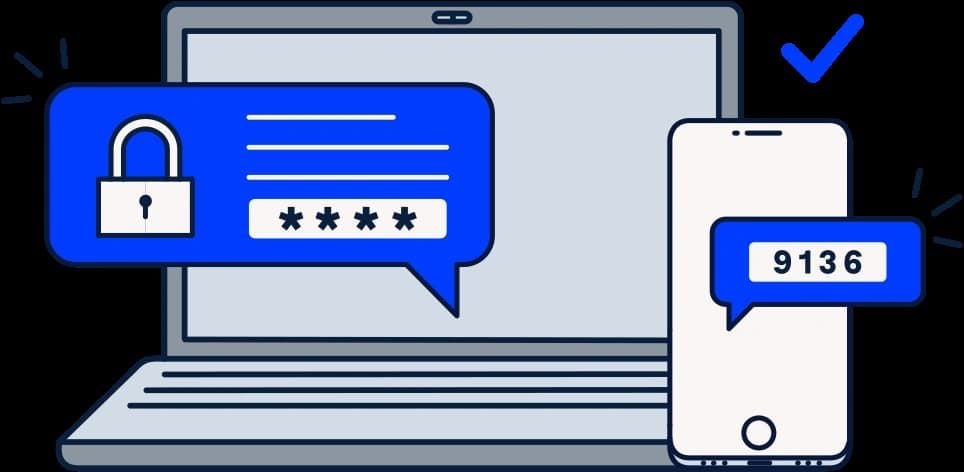
Steps to Safeguard Your PayByPhone Account1. Ensure that password is unique and that it has both letters, numbers and symbols.2. Should allow for two factor security for example using a pin and a fingerprint.3. Avoid using public Wi-Fi when accessing the app.4. Periodically check your account activity to detect any suspicious behavior.Additional Safety Tips:1. Keep your app updated for security updates.2. Employ trusted antivirus on your device.3. Always log out from the application after every session, especially when you use shared devices.4. If you suspect unauthorized access, contact PayByPhone support with immediate effect.
Ensure Security During Using PayByPhone
Delete PayByPhone Account

Delete PayByPhone Account

4.5

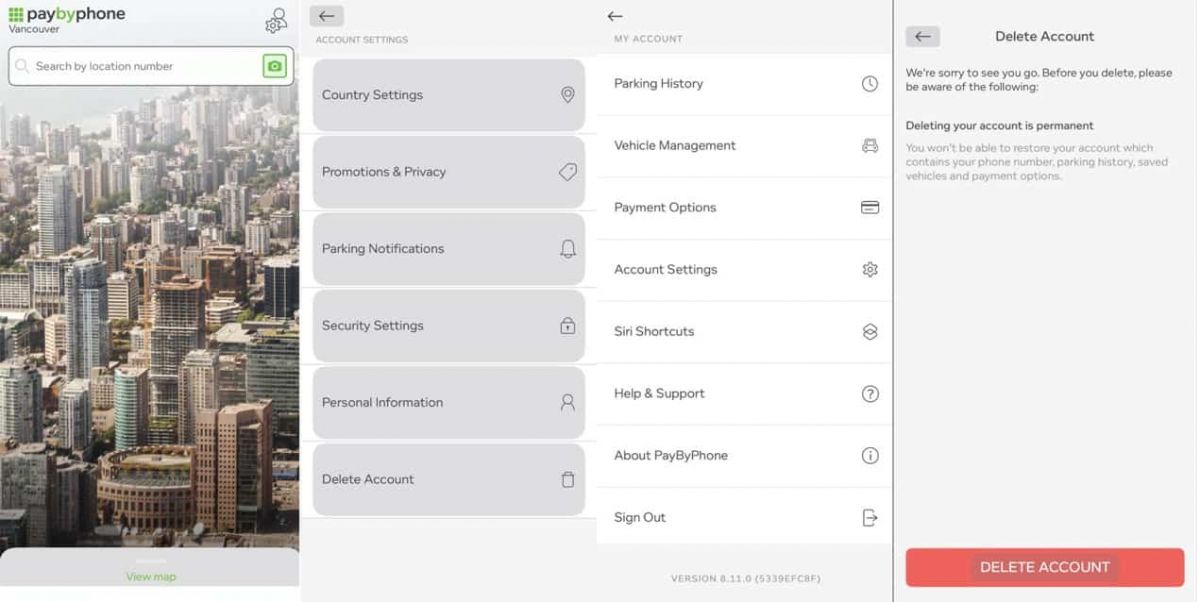
For Android Users:1. Open PayByPhone application.2. In the Menu section, tap Settings and then Account Settings.3. Tap “Delete Account” and confirm the action using the red button provided.For iOS Users:1. Open the application.2. In the Menu section, tap Settings and then Account Settings.3. Tap “Delete Account” and confirm your choice.Via Web Browser:1. Access your account through paybyphone.com.2. Go to Account Settings.3. Go down to “Delete Account” and agree on the deletion of the account as required.Deletion works to avoid create a situation whereby all your information linked to the account is stored on their server.
Delete PayByPhone Account
Update PayByPhone

Update PayByPhone

4.5

For Android Users:1. Open the Google Play Store.2. Tap your profile icon then go to “Manage apps & device.”3. Scroll down to see “PayByPhone Parking” then tap “Update if available.For iOS Users:1. Open the App Store and tap your profile icon.2. Scroll to the “Available Updates” section.3. Locate PayByPhone and tap “Update if listedWeb Users on PC/Mac:Automatic updates happen in the web portal. Refresh your browser every now and then to ensure recent features are loaded.

Update PayByPhone
More Related Blogs
Download Telegram Easily

Download Telegram Easily

4.0

Detail Installation Steps1. Android Devices:- Open the Google Play Store. In the search box, input “Telegram.”- Tap the one from Telegram FZ-LLC, then tap “Install.” More simply, you can just visit here to view the same page https://play.google.com/store/apps/details?id=org.telegram.messenger&hl=en_US.- Download and install the app. Open the app once downloaded and register your account using your phone number.2. Apple Devices iPhone/iPad:- On your Apple device, launch the App Store and search for “Telegram.”- Tap “Get,” then “Install” when prompted. Alternatively, get to the downloading page simply from here https://apps.apple.com/us/app/telegram-messenger/id686449807.- Install from the store and open it: in-app, register your phone number and start using Telegram.3. Desktop Version (Windows/Mac):- Go to the official Telegram website https://desktop.telegram.organd download the desktop application for your operating system.- Follow the installation prompts, then open Telegram.- Link it now with your mobile account, either by scanning the QR code or by typing your phone number.4. Web Version:- Alternatively, Telegram has a Web version for those who do not want to install anything. In a browser, just go to its official homepage https://web.telegram.org/k/, insert your phone number and access your account.

Download Telegram Easily
How the Showai Makes 2,000 Classic Songs Easy to Enjoy

How the Showai Makes 2,000 Classic Songs Easy to Enjoy

4.3

Its interface is clear and very intuitive. The start screen often presents big, easy-to-locate buttons for popular songs, random picks or such curated playlists. You can pull up songs by artist or even delve into comprehensive searches for a title. Finding a song you love is almost too easy. Tapping any piece immediately begins playing it, with a simple player that provides play, pause and forward control buttons.Better yet, the app uses mood and theme as common facilitators so that discovering new oldies is just as easy. No matter if you are a life-long enthusiast or new to the territory, this app puts at your fingertips 2,000 schedules of nostalgia, completely free and seamless musical journey back in time.

How the Showai Makes 2,000 Classic Songs Easy to Enjoy
Discover Nature's Secrets with Plantum's Precision Plant ID

Discover Nature's Secrets with Plantum's Precision Plant ID

4

For botanists and fans of nature alike, it's easy to take a picture and have the relevant data on the potted plant that you like dumped right in your lap. Things like its botanical name and habitat, considerations for how to care after it and Potential area of application are all described by Plantum. These details together make an integrated picture to further enrich your appreciation and understanding of the broader world we live in.What elevates Plantum above the competition is its continuous pursuit of learning and improvement, a promise that its identification capability will keep pace with the leading edge in technological innovation. Never before has it been so precise and satisfying to explore and identify plants with Plantum.High-precision identification with Plantum. A For such advanced software, which uses artificial intelligence to identify plants, even a smart phone becomes a powerful botanical tool.Now you can capture images of plants and discover detailed information--including classification by species, habitat information, and notes on ecological significance, with unmatched precision. It is a particularly valuable resource for both home gardening and teaching, and an invaluable tool for those who love nature but do not have that love extended vegetablegrower.The precision of Plantum is unmatched in sophistication and ease of use alike, it must be counted as a uniquely accurate and informative guide for the future exploration of the manifold varieties and complexities that comprise plant life. Let's move ahead together, then, into this new world with Plantum.

Discover Nature's Secrets with Plantum's Precision Plant ID
Using Libby Even When You’re Offline

Using Libby Even When You’re Offline

4.8

Where the app does shine is with its smooth download feature.Libby automatically downloads your borrowed titles so you can read them offline when your device is connected to Wi-Fi. That means you can listen to audiobooks on airplanes, trains and so forth — even when you have no access to a data signal. Magazines, unfortunately, don't auto download, but you can snag them manually with a single tap. When you download an item, that content is labeled with a checkmark icon on your "shelf" to distinguish it from titles with no downloads available. This is proactive, and it also saves you the headache of babysitting each loan.The offline option is also what has helped make Libby such a hit among travelers, commuters or anyone else looking to conserve their mobile data when reading in an area where service may be unreliable. It allows you to make a personal, portable library out of your local public library’s collection at no cost. With Libby, your next great read is never on hold.

Using Libby Even When You’re Offline