

Navigation Apps - Free Download & Official Reviews

Qu'est-ce que Waze et pourquoi l'utiliser?
 4.6
4.6
Trafic en temps réel :Waze analyse les conditions de circulation grâce aux données partagées par ses utilisateurs.Alertes communautaires :Recevez des signalements sur les accidents, radars, travaux ou tout autre obstacle.Gain de temps :Waze recalculera instantanément votre itinéraire pour éviter les bouchons et vous faire gagner du temps.Personnalisation :Vous pouvez ajuster vos préférences de navigation, choisir des itinéraires spécifiques ou personnaliser la voix de guidage.


Comment télécharger et installer Waze?
4.6
Pour les utilisateurs iOS :1.Accédez à l’App Store.2.Tapez « Waze – GPS et Trafic » dans la barre de recherche.3.Cliquez sur Obtenir pour lancer l'installation. Ou vous pouvez cliquer directement sur le lien: https://apps.apple.com/fr/app/navigation-waze-et-trafic/id3232291064.Une fois l’installation terminée, ouvrez Waze et configurez votre compte.
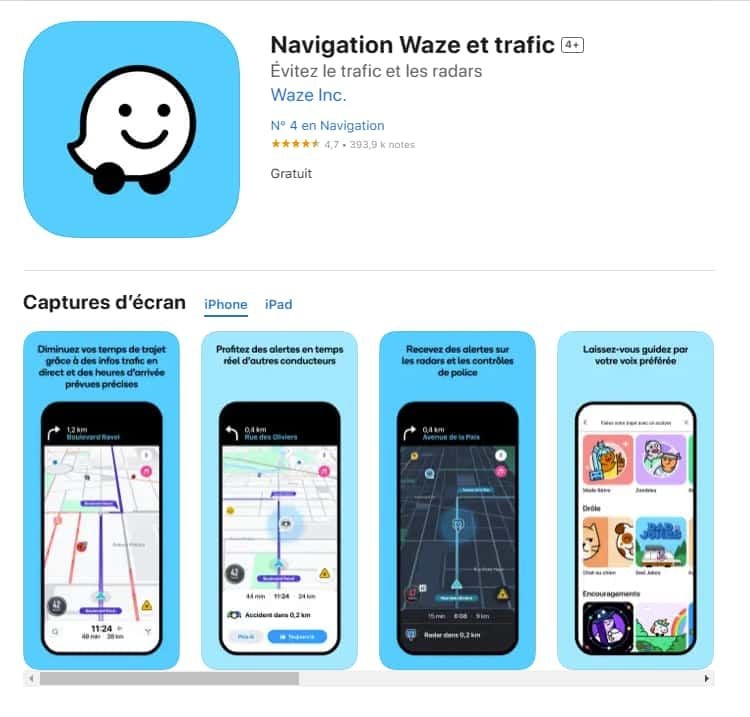

Comment mettre à jour l'application Waze?
4.6
Sur Android :Ouvrez le Google Play Store.Accédez à « Mes applications et jeux ».Cherchez Waze dans la liste des applications installées.Cliquez sur Mettre à jour, si une mise à jour est disponible.

Comment utiliser Waze pour la navigation et le trafic?
4.6
Waze est simple et intuitif. Voici un guide pour débuter :Lancer l'application : Ouvrez Waze sur votre smartphone.Entrer votre destination : Tapez l’adresse dans la barre de recherche.Choisir un i

Comment créer et gérer un compte Waze?
4.6
Créer un compte :Ouvrez l'application Waze.Cliquez sur « Se connecter » ou « Créer un compte ».Entrez votre adresse e-mail, un mot de passe et d'autres informations nécessaires.Validez votre compte via un e-mail de confirmation.

Revolutionizing Daily Mobility and Beyond
4.8
Affordabilityand flexibilityis the platform's motto. Cost-saving options, such as Route Share (potential 50-percent discount on regular rides) and Rides Passes provide price predictability to frequent riders.Get great value from Uber One membership which provides you with access to discount fares, premium driver matching and special promotions. Beyond mobility, Uberadds convenience to the mix with lightning fast meal and retail deliveries thanks to partnerships with brands such as Best Buy and Sephora.

Effectively Communicate with ChatGPT
4.8
1. Be Clear with Your Questions:When you ask specific questions, it is much easier for ChatGPT to understand what you need. You could skip asking for a general narrative of history like “Tell me about the history”, and instead may ask, “What are the main causes of World War I?”2. Provide Context:If what you are talking about is highly specialized, you may want to provide more background. Technical questions should also mention the tool or programming languages you are using.3. Ask Successively:If you feel overwhelmed by the information you may get, decompose your questions into smaller components and ask successively. You can first introduce a general concept and then go on with the details.4. Give Feedback and Adjust:If ChatGPT’s response is not what you expect, give feedback and ask for further clarification or adjustment of its answer.