


Delivery Apps - Free Download & Official Reviews

Install Amazon Shopping
 4.8
4.8
For PC Users:1. Go to the Amazon official website from here https://www.amazon.com.2. If necessary, create an account or sign in.3. All features are directly available on the website, so there is no need to download an application.

Amazon’s Virtual Try-On
4.8
Steps to Using Virtual Try-On1. Open Amazon Shopping and go to any product that supports Virtual Try-On, such as shoes or sunglasses.2. Tap on the “Virtual Try-On” option available on the product page.3. If prompted, follow the prompts to enable camera access.4. Point your device’s camera either at yourself or at your feet according to the prompt.5. Tap on styles or colors to see them live on you.BenefitsClearly, it helps you make confident purchasing decisions through a real-time preview of how the fit and style will be, hence reducing the need for returns and exchanges.

Amazon’s View in Your Room Feature
4.8
Steps to Use the Feature1. Open Amazon Shopping and select a product that supports this feature, such as furniture.2. On the product detail page, tap “View in Your Room”.3. If prompted, grant access to your camera and point it at your space.4. Tap “Live View” to set the item in your preferred location by tapping on your screen.5. If necessary, reposition or rotate the item; you can add more items to compare with.


Amazon Shopping’s Top Competitors
4.8
1. The emergence of such a powerful alternative is that of Walmart: online shopping combined with the benefit of a wide physical store network. Walmart+ membership benefits like free delivery, in-store shopping with scan and go, and fuel discounts come with the app. It is particularly strong at grocery shopping with same day pickup and delivery options and at competitive prices.2. Target is positioned as a curated shopping experience with a sleek interface and rewards program called Target Circle. The app differentiates itself from other apps with the inclusion of fashionable yet affordable private labels, same-day delivery via Shipt, and Drive Up. Its strength lies in combining fashion, home décor, and everyday essentials with a more refined shopping experience.3. eBay distinguishes itself with both an auction-style and fixed-price listing. The platform excels in unique, secondhand, and collectible items. Key features: image search capability, personalized offers, real-time price alerts, robust messaging system for buyers and sellers to connect. The app does offer authentication services for luxury4. Costco brings the warehouse club experience to mobile shopping, featuring bulk pricing and exclusive benefits for its members. The app features integration with a digital membership card, same-day grocery delivery, pharmacy services, and special online-only deals. While offering fewer products than Amazon, it emphasizes quality and value through carefully curated selections.5. AliExpress specializes in shopping directly from the manufacturer, with very competitive prices. This platform boasts a vast product array, buyer protection, image search, and real-time translation, even though its delivery times are usually longer. Gracie app features include games, coins, and flash deals, among other things that make using this app very entertaining.

Update Amazon Shopping on All Platforms
4.8
For Android Devices:1. Open the Google Play Store.2. Tap your profile icon in the top right corner.3. Select Manage apps & device, then look for updates under “Updates available”.4. If Amazon is available to update, tap Update.For iOS Devices1. Open the App Store.2. Tap your profile icon at the top of the screen.3. Scroll down to see pending updates; find Amazon Shopping and tap Update next to it.In fact, for PC Users, it automatically updates when you access the website, so you do not have to perform a manual update.

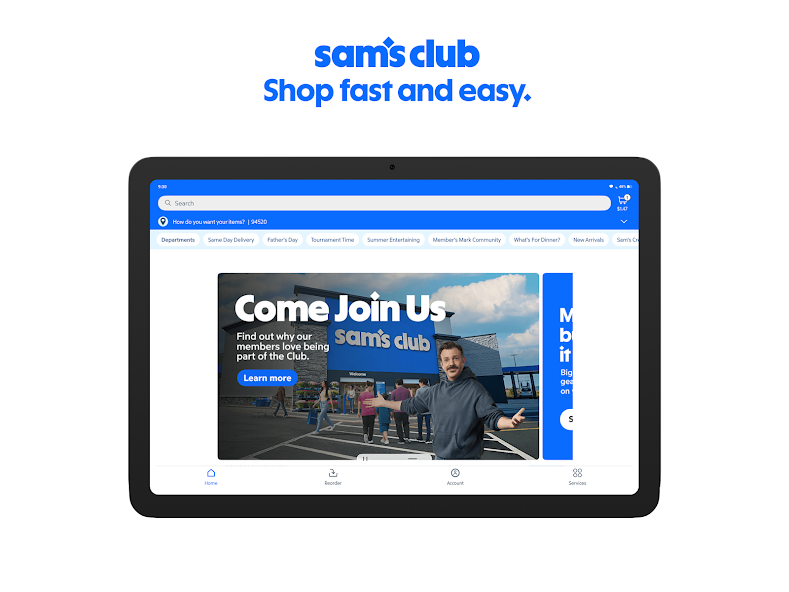
Sam's Club Scan & Go: Avoid the Line, Shop Easy
4.8
Sam's Club includes Scan & Go, which allows members to get through the warehouse without ever stepping into a checkout line. And this popular tool, which has be

Protect Your Search Privacy
4.1
Managing Search History and Activity1. Launch Google2. Tap your profile picture in the top-right3. Click “Manage your Google Account”4. Go to the “Data & Privacy” page5. In the “History settings,” select “Web & App Activity”6. Turn off “Web & App Activity” so Google does not record your searches7. Or choose “Auto-delete” to delete activity older than some chosen timeframePrivate Searches with Incognito Mode1. Launch Google on your smartphone2. Tap your profile picture at the top right3. Choose “Turn on Incognito Mode”4. In Google Chrome browser, tap on three-dot menu and select “New Incognito Window”5. Conduct your searches without storing history in your account6. Close the tab or window in Incognito mode once completed7. Keep in mind that while Incognito blocks local history storage, your ISP knows what you are doing

Canon PRINT
4.5
It lets users quickly access core features, connect wirelessly with ease, and directly print photos, documents, and web pages from their smart devices.
ARCHIVE
Category
- Communication
- Tools
- Shopping
- Lifestyle
- Entertainment
- Finance
- Art & design
- News & Magazines
- Productivity
- game
- Action
- Music & Audio
- Music & Audio
- Education
- Education
- Business
- Photography
- Books & Reference
- Business
- Health & Fitness
- Medical
- Educational
- Casual
- Video Players & Editors
- Maps & Navigation
- Adventure
- Sports
- Puzzle
- Arcade
- Personalization
- Art & Design
- Action
- Travel & Local
- Social
- Food & Drink