


Message Apps - Free Download & Official Reviews

WhatsApp Setup
 4.6
4.6
Installing WhatsApp on All of Your DevicesMobile Installation (Android and iOS)1. Android OS:- Open the Google Play Store.- In the search bar, type WhatsApp then press Enter.- Find WhatsApp Messenger and click “Install.” Or you can directly install it from here https://play.google.com/store/apps/details?id=com.whatsapp&hl=en_US- When installed, open the application and begin setup by following the on-screen instructions.2. iOS System:- Open the App Store.- In the search box, type WhatsApp and then search.- Look for WhatsApp Messenger, then click “Get” to begin downloading the application. Alternatively, visit the same page here https://apps.apple.com/us/app/whatsapp-messenger/id310633997- Upon download, open the application. Create your account by following the pop-up windows.Installation on Computer (Windows and Mac)1. Windows Operating System:- Access the official WhatsApp website http://www.whatsapp.com/download.- Get an installer for your Windows device by clicking “Download”.- Double click the installation file after downloading then run the setup wizard to install the application.2. Mac Operating System:- Launch WhatsApp official website:https://www.whatsapp.com/download.- Click “Download” to download the Mac version of the application.- Once downloaded, open the file and drag WhatsApp into your Applications folder.When installed, in order to link your mobile WhatsApp, you will have to scan a QR code to sync the messages.

What You Can Do with WhatsApp
4.6
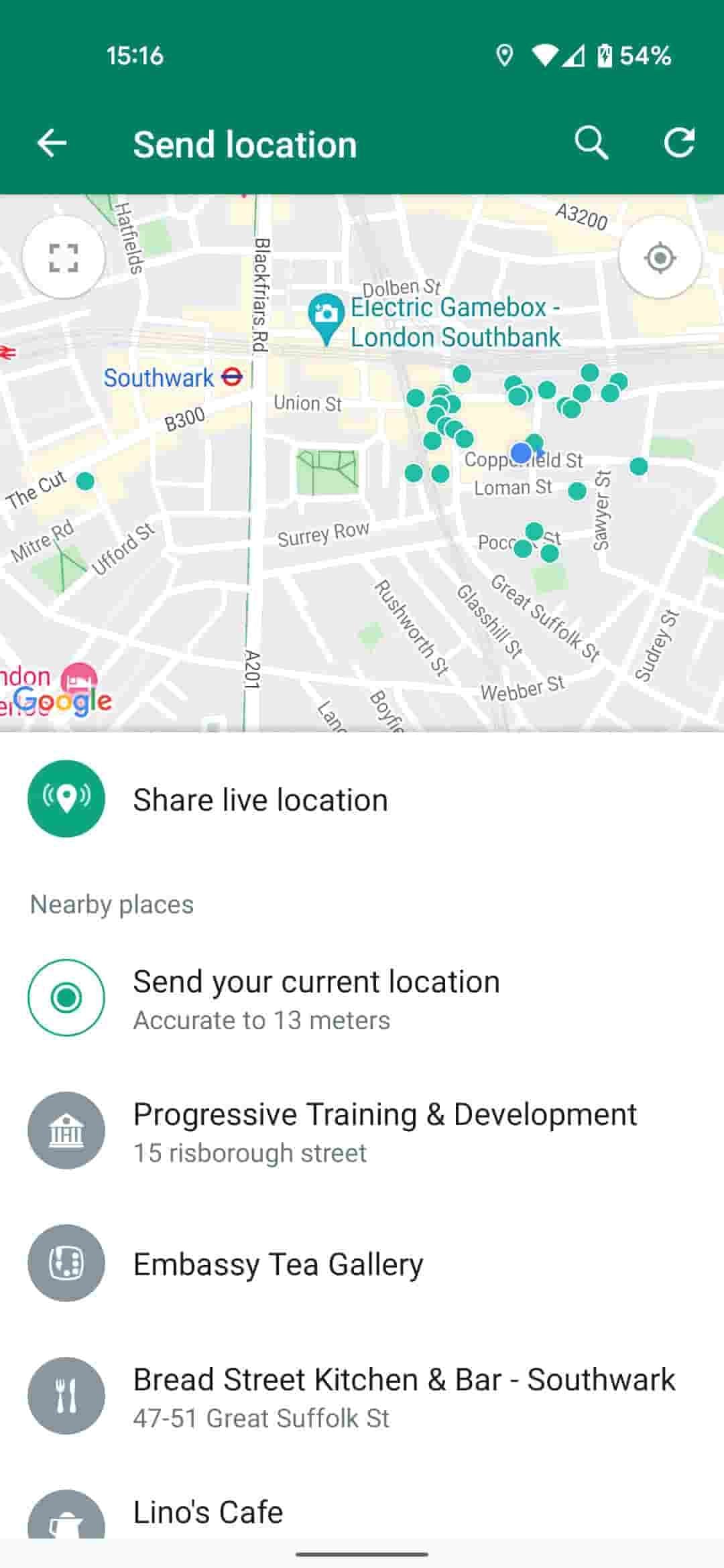
How to Use WhatsApp to Its Full Potential1. Users can send text messages, voice notes, make voice calls, and conduct video calls. It provides one-on-one chat and supports group chats of about 256 participants-a just-right number for team communication or family gathering.2. WhatsApp allows sending photos, videos, GIFs, and documents easily. Users can send high-quality media without the fear of compression or loss of quality. WhatsApp also supports sending live locations to help in coordinating meetups.3. The Status feature allows users to post photos and videos that vanish in 24 hours. It offers the possibility of sharing moments without their being saved-the feature is very tempting for users.

Recover Deleted WhatsApp Messages
4.6
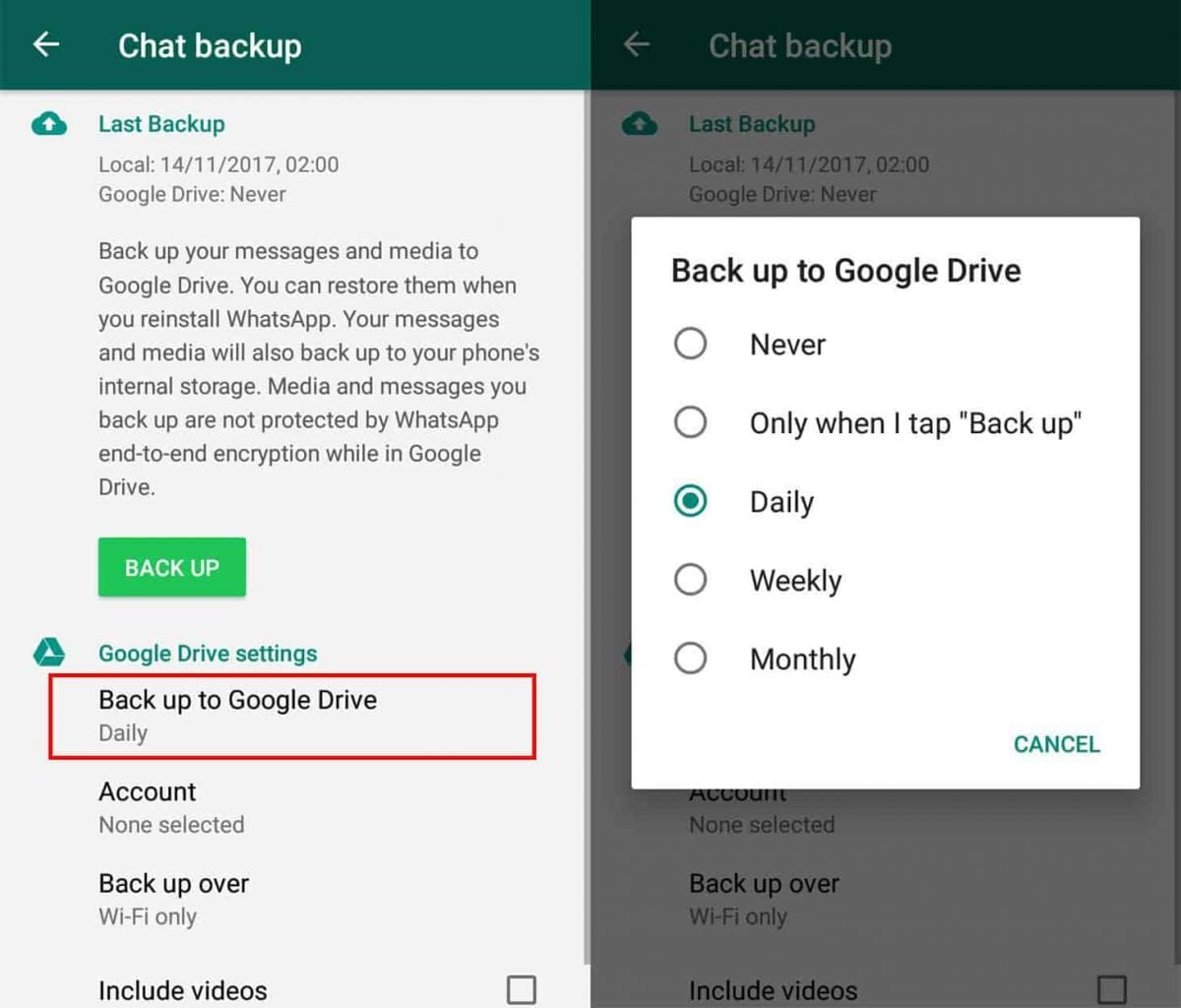
How to Recover Deleted Messages1. For Android Users:- First of all, make sure that Google Drive backup is enabled on your device. Check if backups are active in WhatsApp by going to “Settings” > “Chats” > “Chat Backup”.- Uninstall and reinstall WhatsApp, following the prompts that will be on the screen for restoring from Google Drive backup at installation.- Recover recently deleted messages by using notification history on some android phones. Based on whether or not this option is available within your settings, may use a notification history where you could recover recently deleted messages.2. For iOS Users:- Ensure iCloud backup is enabled for chats. Check iCloud settings on your device.- Uninstall and reinstall WhatsApp; during initial setup, choose to restore from iCloud backup.

Uninstall WhatsApp
4.6
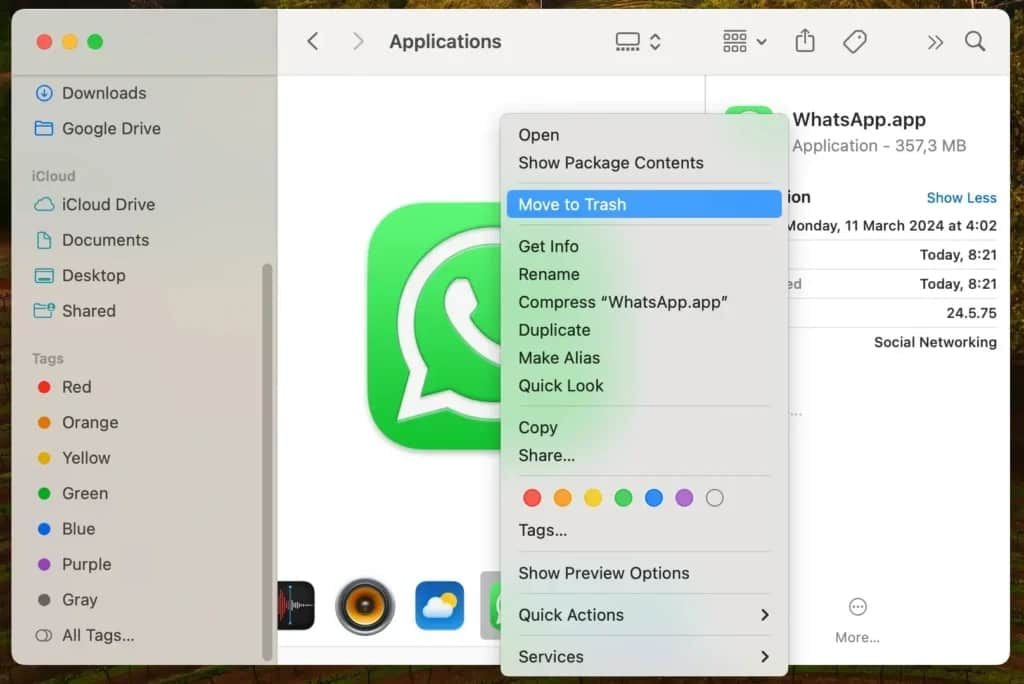
How to Uninstall WhatsApp1. Android Devices:- Long-press on the icon of WhatsApp and click on “Uninstall.”- Or go to “Settings,” select “Apps,” find WhatsApp, and click "Uninstall."2. iOS Devices:- Long-press on the icon for WhatsApp and select “Remove App.”- Alternatively, go to “Settings,” select “General,” then "iPhone Storage," locate WhatsApp, and delete it.3. Computer Systems (Windows/Mac):- In Windows, right-click at the Start Menu on WhatsApp’s icon and select “Uninstall.”- If you are on Mac, drag WhatsApp to Trash to delete it.

Always Keep WhatsApp Updated
4.6
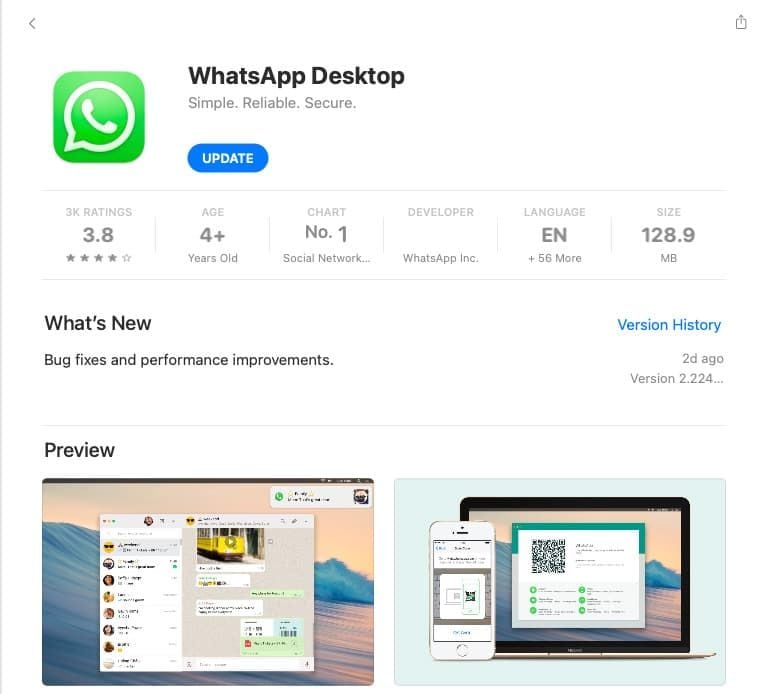
How to Keep It Updated1. If You’re Using an Android Device:- Open Google Play Store; tap on the menu icon in the top left corner then select “My apps & games.” If there are updates, they will appear on this page; click update beside WhatsApp.2. If You’re Using an iOS Device:- Go to the App Store, tap on the “Updates” icon bottom right; if there is an update for the apps such as WhatsApp, it will show here; tap “Update” beside it.3. If You’re Using a Desktop Device:- Access through an official website for the latest download, in case automatic updates have not been enabled for Windows or Mac users. Or directly launch the corresponding desktop app store to see if there is an updated option available.

How to Ensure Safety and Privacy when Using WhatsApp
4.6
Anyway, it is surely a secured place for the communication due to security features of WhatsApp along with the awareness of its users.

How to Set Up Your Life360 Circle and Invite Family Members
4.7
The app uses groups called "Circles" to let family members see each others locations on a shared map. Here is a step-by-step guide to creating your Circle and

Turning Every Zangi Chat Into a Sealed Vault
4.2
Chatting works differently in Zangi, with privacy being the standard mode of operation, not an extras as it is in most apps. When a conversation starts, the encryption
ARCHIVE
Category
- Communication
- Tools
- Shopping
- Lifestyle
- Entertainment
- Finance
- Art & design
- News & Magazines
- Productivity
- game
- Action
- Music & Audio
- Music & Audio
- Education
- Education
- Business
- Photography
- Books & Reference
- Business
- Health & Fitness
- Medical
- Educational
- Casual
- Video Players & Editors
- Maps & Navigation
- Adventure
- Sports
- Puzzle
- Arcade
- Personalization
- Art & Design
- Action
- Travel & Local
- Social
- Food & Drink