


2026 Apps - Free Download & Official Reviews

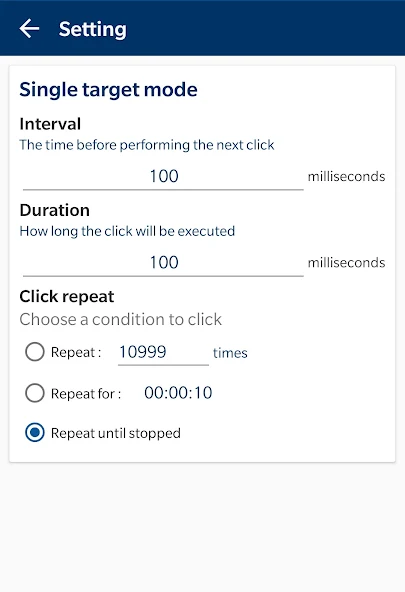
Mastering Precision: A Guide to OP Auto Clickers Single Target Mode
 4.3
4.3
OP Auto Clicker is an automation tool for Android devices that helps you finish repetitive tapping tasks quickly. Out of all the features the "Single Target Mode" is great because it is simple but sti
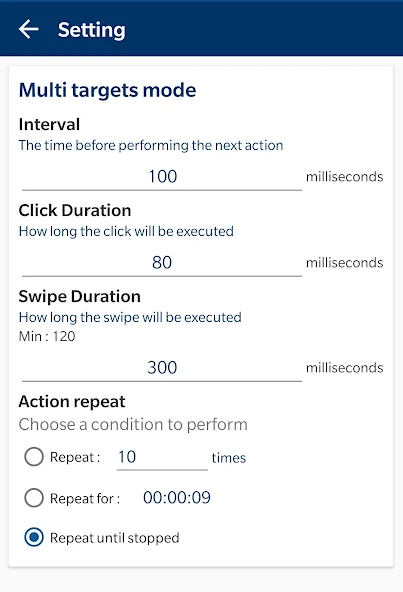
Mastering Complex Automation: The Multi-Targets Mode of OP Auto Clicker
4.3
While the single-target mode is good for clicks, the "multi targets mode" turns OP Auto Clicker into a much more advanced tool for harder tasks.In targets mode you can add many different click points
Customizing the Visuals of OP Auto Clicker
4.3
It copies your screen taps and swipes. This helps you stop doing the boring tasks over and over in your games or apps. One thing I really like about OP Auto Clicker is that you can change how big the
Mastering Automation: How to Achieve Autoclicking with OP Auto Clicker
4.3
It uses the Accessibility Service on your phone to work. Getting OP Auto Clicker to start clicking is easy. Only takes a few steps. You just have to give the app permission.After you download the app
Mastering OP Auto Clicker: A Guide to Setting Click Delay, Touch Time and Repetitions
4.3
To use OP Auto Clicker well, you need to know how to change the three settings: delay, touch time and how many times it repeats. Here is how you do it.First go to your phone settings. Turn on the Acce

Plantiary
4.5
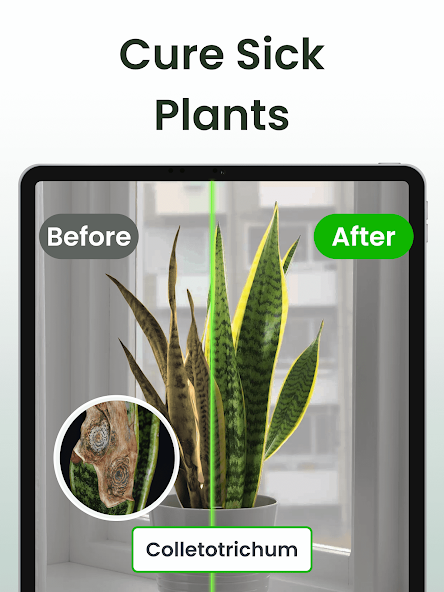
More than identifying plants, Plantiary has a Botanist AI chat assistant to answer your questions, a tool to find plant diseases and reminders for watering and fertilizing.
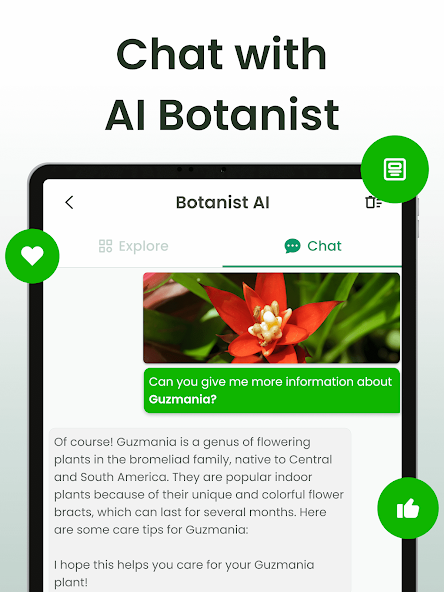
Meet Your Personal Botanist AI in Plantiary
4.5
The best part of Plantiary is the Botanist AI, which's a smart chat assistant ready to answer any plant questions you have.With Botanist AI, you do not have to spend hours reading articles to understa
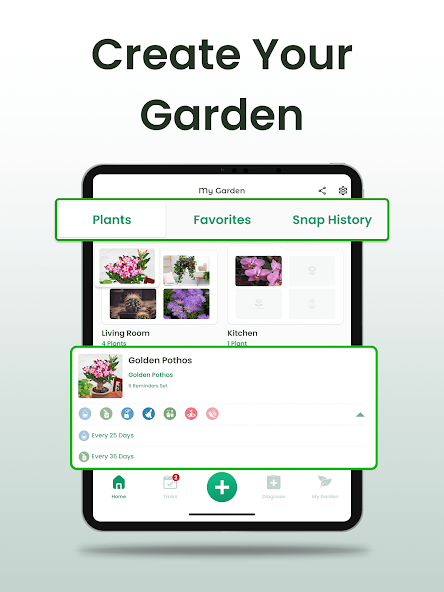
How to Create Your Garden in Plantiary
4.5
Setting up your garden in Plantiary is very easy. Just tap the My Garden tab at the bottom of your screen then go to the Plants section to start organizing.First you should add your plants by the room
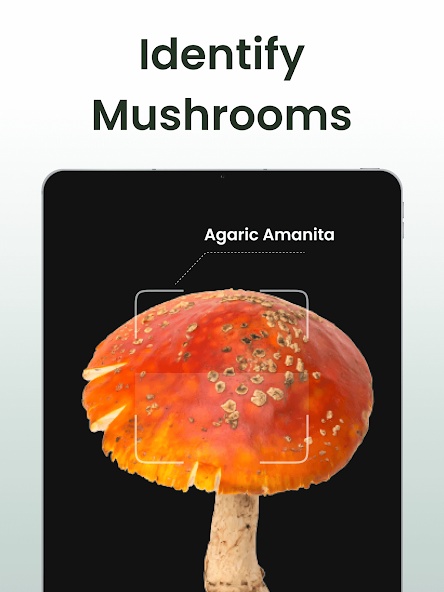
Snap and Learn: How to Identify Plants with Plantiary
4.5
Finding out what a plant is has never been easier because of the Plantiary plant scanner. Whether you are out on a walk or looking at a neighbors yard this tool makes your phone act like a plant exper
Never Miss a Watering Day: How to Set Reminders in Plantiary
4.5
Keeping your plants hydrated is effortless with Plantiary's smart reminder system. Here is how to set up water reminders in just a few taps.Start by opening the app and navigating to My Garden. Select
ARCHIVE
Category
- Communication
- Tools
- Shopping
- Lifestyle
- Entertainment
- Finance
- Art & design
- News & Magazines
- Productivity
- game
- Action
- Music & Audio
- Music & Audio
- Education
- Education
- Business
- Photography
- Books & Reference
- Business
- Health & Fitness
- Medical
- Educational
- Casual
- Video Players & Editors
- Maps & Navigation
- Adventure
- Sports
- Puzzle
- Arcade
- Personalization
- Art & Design
- Action
- Travel & Local
- Social
- Food & Drink