


Business Apps - Free Download & Official Reviews

Download Zoom Easily
 4.7
4.7
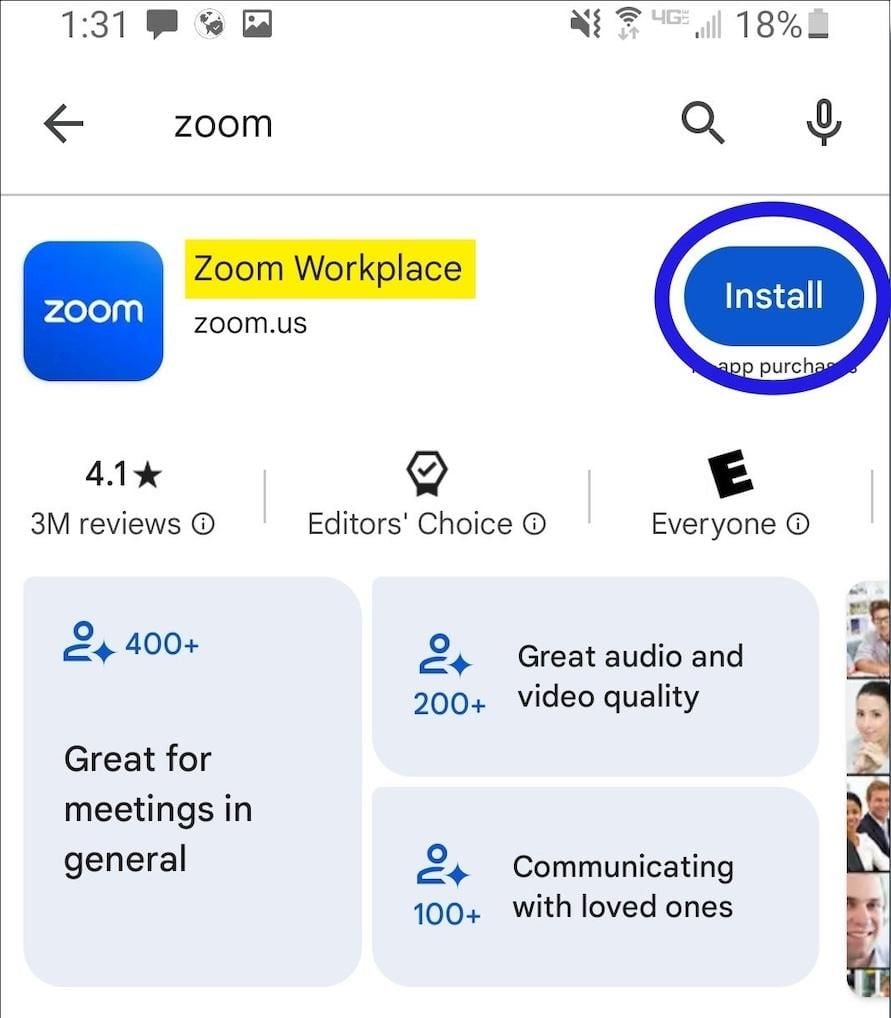
How to Install Zoom on Various DevicesFor Computer Systems (Windows and Mac):1. Open any browser and go to its official website herehttps://zoom.us/download.2. Click the blue “Download” button.3. Once downloaded, look for the installation file for Windows (ZoomInstaller.exe), or the .pkg file on Mac – in your downloads folder. Run the installer by double clicking, then follow the instruction on screen.4. If it requests any permissions, accept them through your operating system.For Mobile Android and iOS- Android:1. Open the Google Play Store.2. In the search box, type “Zoom Workplace” or install directly from here https://play.google.com/store/apps/details?id=us.zoom.videomeetings&hl=en_US.3. Click “Install” and wait for it to download.- iOS:1. Open the Apple App Store.2. Search for “Zoom Workplace”, or access it directly from here https://apps.apple.com/us/app/zoom-workplace/id546505307.3. Tap “Get” to download and install the application.Once installed, you can open Zoom and either log in or create an account.

Create Your Personal Account
4.7
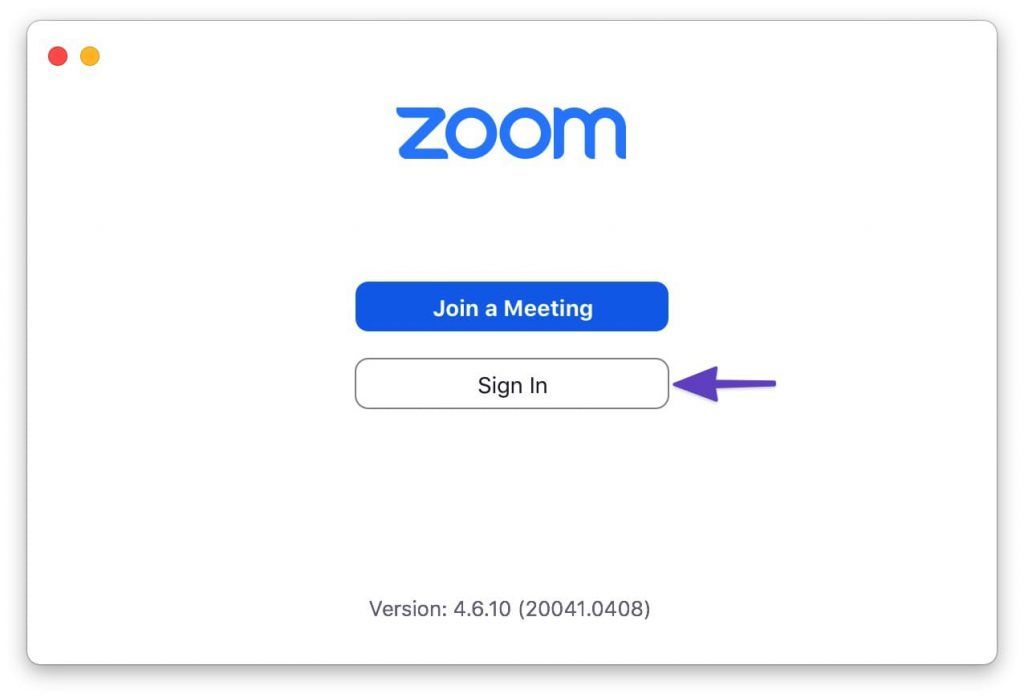
How to Create a Zoom Account1. Visit Zoom Website or App:- Open your browser and go to Zoom’s official signup page https://zoom.us/signup- If mobile, launch Zoom and press Sign In.2. Enter Your Information:- Enter your date of birth (at least 16 years old) and your email address.- There is an email confirmation, you click on the link in that email to activate and verify your account.- Then fill in first name, last name, and create a password after you confirm your email. Then click “Continue” to finish the process.- Alternatively, you can do the above verification using your Google account or Facebook account to register and login.3. Final Works- Sometimes you’re prompted to invite colleagues, or to start a test meeting, but you can skip these steps as well.- Tap the Zoom icon and tap the orange button: “Start Meeting Now”.

Schedule and Join a Zoom Meeting
4.7
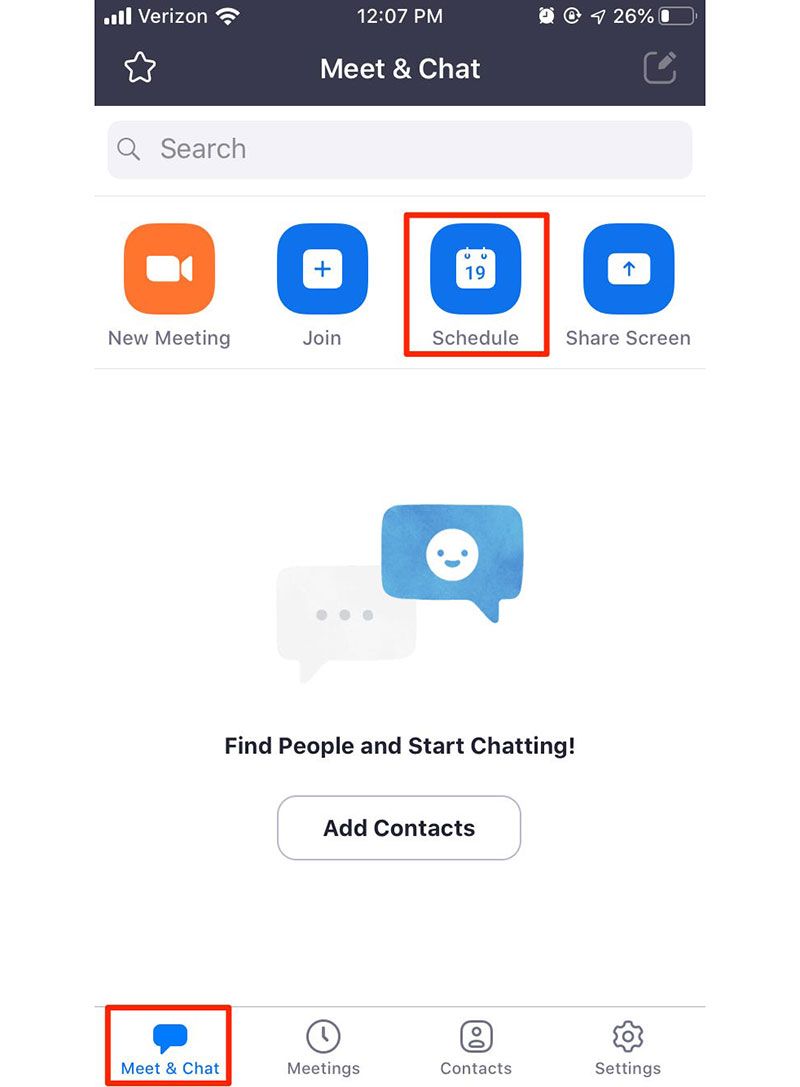
How to Arrange and Attend Zoom’s MeetingArrange a Meeting:1. Sign into your Zoom account via its app or its official website.2. Click on “Schedule” from the home screen.3. Choose the date, time, duration, and any additional settings like requiring a password or enabling waiting rooms.4. After saving your settings, share the generated meeting link with participants via email or messaging apps.Attend a Meeting:1. Launch Zoom or visit the website.2. Click on “Join a Meeting.”3. Input the meeting ID provided by the host along with your display name.4. If required, enter the meeting password before clicking “Join.”5. Adjust your audio and video settings as necessary.

Ensure Privacy During Using Zoom
4.7
Privacy Tips1. Always enable an automatic ID and create passwords for your meetings to prevent unauthorized access.2. Enable waiting rooms lets hosts screen participants before they join the meeting, adding an extra layer of security.3. Set screen sharing options so that only hosts can share their screens unless permission is granted to others.4. Limit chat functions during meetings by allowing participants to chat only with hosts if necessary.5. Limit what information is publicly visible in your profile.

Set Up Virtual Backgrounds in Zoom Meetings
4.7
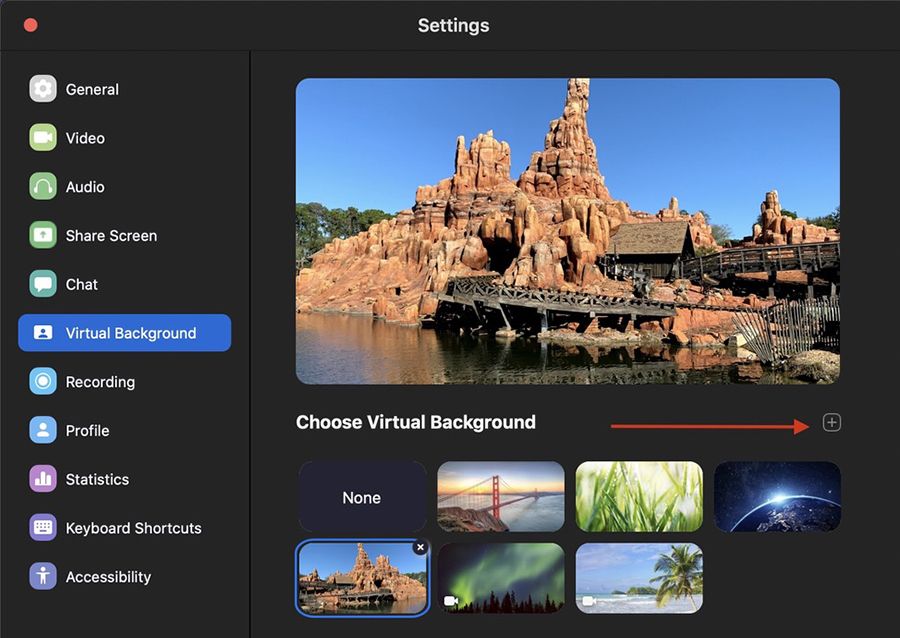
How to Set a Virtual Background for Zoom Meeting1. Open Zoom Settings:- Log in to Zoom, click on Settings (gear icon), then select Virtual Background.2. Choose or Add a Background:- Select a background from Zoom’s default options, or click + to upload your own image.- Ensure good lighting conditions for optimal performance of virtual backgrounds; avoid busy patterns in clothing as they may interfere with background effects.3. Adjust for Best Results:- Sit in the middle of the camera frame and use a solid background as well as good light if possible, and enable I have a green screen if you have one.- Use the “Mirror My Video” option to see what others will see and make some adjustments if needed.

Keep Zoom Up-to-Date
4.7
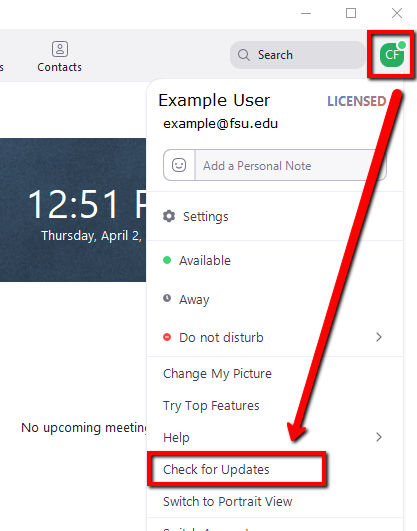
Regular updates can enhance your Zoom experience and help you avoid potential issues. Here’s a guide on how and when to update Zoom.1. Check for Updates Manually:- Open Zoom desktop client.- Click on your profile picture in the top right corner.- Select “Check for Updates.” If an update is available, follow prompts to download it.2. Automatic Updates: - In settings under “General,” check “Automatically keep my client up to date.” This ensures that updates are applied without manual intervention.3. Mobile Updates: - For mobile users, visit Google Play Store (Android) or App Store (iOS). Search for “Zoom” and tap “Update” if available.4. When to Update:- Regularly check for updates at least once a month or whenever notified by the application about new updates available.- Update before important meetings or events where new features might enhance functionality or security.

How to Discover Your Next Go-To Game on Meta Horizon
4.5
You’d use the Meta Horizon as your mobile home, providing a simple control center for managing your compatible Quest VR headset and finding new content. Be it action, s

Park ATX Simplifies Expense and Trip Tracking
4.0
All your parking activity is brought together in this central feature as the location, duration, cost and time stamps of each session are kept safe within the app. Ditch the losing your paper receipts— digital and auto email receipts link to make expense reporting or reimbursement an effortless experience. It also allows you to check charges at a glance, so that you have not any question of billing ever.
Tag
ARCHIVE
Category
- Communication
- Tools
- Shopping
- Lifestyle
- Entertainment
- Finance
- Art & design
- News & Magazines
- Productivity
- game
- Action
- Music & Audio
- Music & Audio
- Education
- Education
- Business
- Photography
- Books & Reference
- Business
- Health & Fitness
- Medical
- Educational
- Casual
- Video Players & Editors
- Maps & Navigation
- Adventure
- Sports
- Puzzle
- Arcade
- Personalization
- Art & Design
- Action
- Travel & Local
- Social
- Food & Drink