

Hot App Reviews - Best Free Apps Download & Guides

Install Instagram at No-Cost

WhatsApp Setup

Download and Install YouTube

Add Trending Songs to Your TikTok Videos
 4.8
4.8
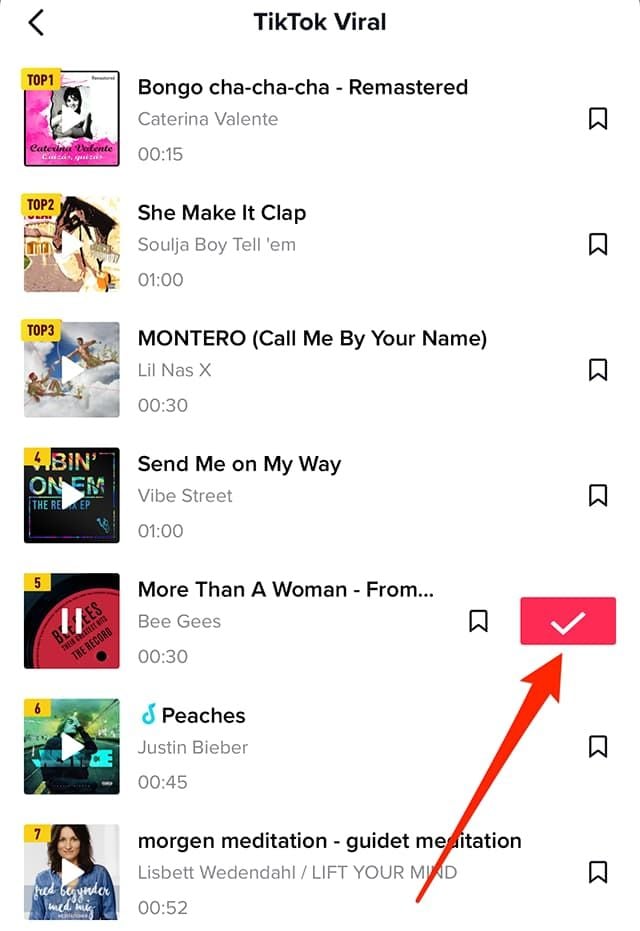
How to Add Songs1. First, create or upload your video by tapping the “+” icon.2. Tap “Sounds” at the top of the screen before recording or after uploading a video clip.3. Browse popular sounds or search by using the search bar to find any particular songs.4. Preview a song by tapping it, and if you like it tap ‘Checkmark’ to add it to your video.5. Before finalizing your post, you can drag your song on the timeline to where you wish it to become play in your video.

Always Keep WhatsApp Updated
4.6
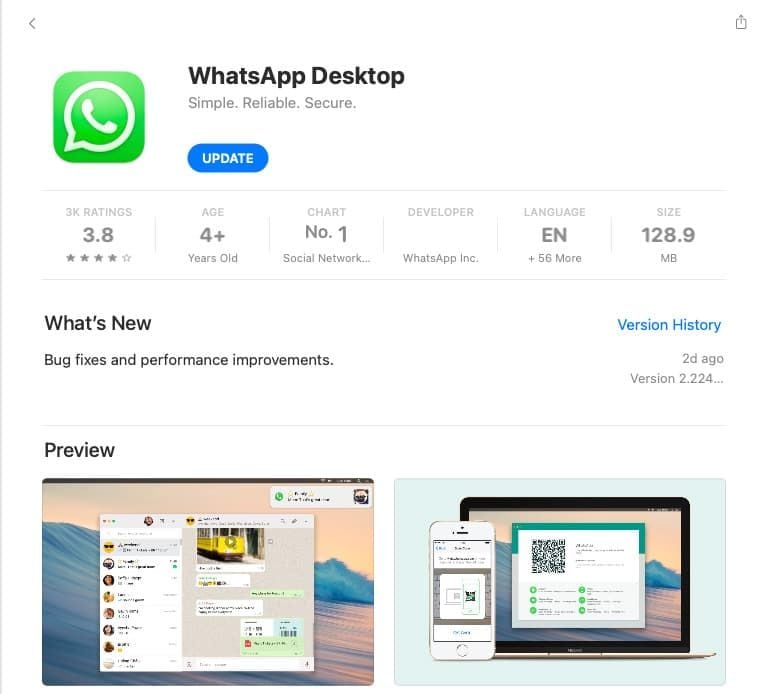
How to Keep It Updated1. If You’re Using an Android Device:- Open Google Play Store; tap on the menu icon in the top left corner then select “My apps & games.” If there are updates, they will appear on this page; click update beside WhatsApp.2. If You’re Using an iOS Device:- Go to the App Store, tap on the “Updates” icon bottom right; if there is an update for the apps such as WhatsApp, it will show here; tap “Update” beside it.3. If You’re Using a Desktop Device:- Access through an official website for the latest download, in case automatic updates have not been enabled for Windows or Mac users. Or directly launch the corresponding desktop app store to see if there is an updated option available.

Set Up Virtual Backgrounds in Zoom Meetings
4.7
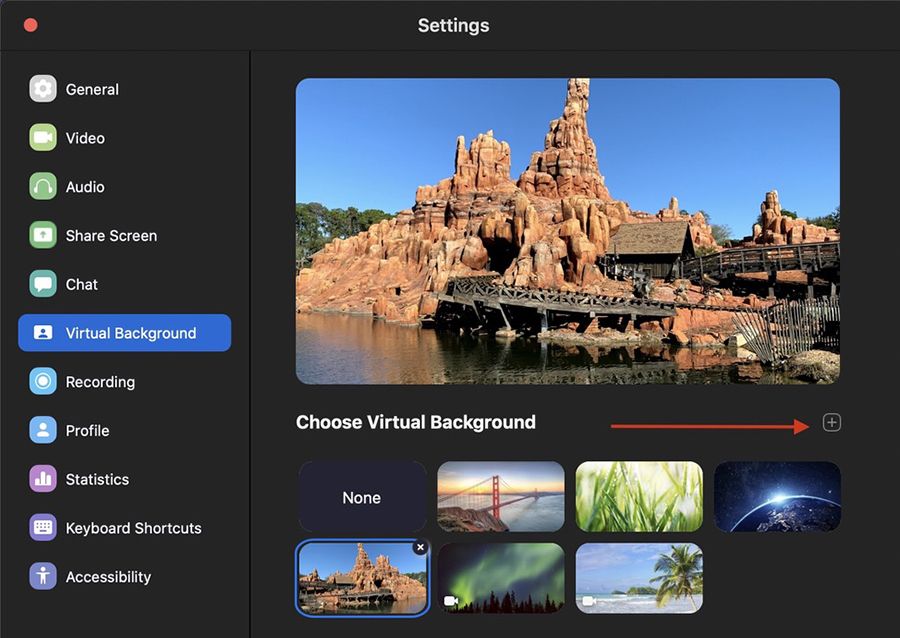
How to Set a Virtual Background for Zoom Meeting1. Open Zoom Settings:- Log in to Zoom, click on Settings (gear icon), then select Virtual Background.2. Choose or Add a Background:- Select a background from Zoom’s default options, or click + to upload your own image.- Ensure good lighting conditions for optimal performance of virtual backgrounds; avoid busy patterns in clothing as they may interfere with background effects.3. Adjust for Best Results:- Sit in the middle of the camera frame and use a solid background as well as good light if possible, and enable I have a green screen if you have one.- Use the “Mirror My Video” option to see what others will see and make some adjustments if needed.

Never Forget Plant Care Again with Blossom's Reminder Feature
4.3
You can set up reminders for many aspects of plant care, such as watering, fertilizing and cutting. The application will send you timely reminders on your cell phone so that you never miss an important item of plant management again. To beginners or old hand always the failure element in plant care, this function can be of great help. It combines AI identification with actual plant management to provide easy-to -swim follow ups for your plants. With Blossom, taking care of plant health is plain sailing that lets soul you enjoy the charm of your green life without a care.

Ask Anything About Plants on Plantum
4
Just shoot any plant at all and in seconds the app's powerful artificial intelligence will identify it for you. However, Plantum goes beyond mere recognition: It offers tailored care guides for your own particular plant on watering, light exposure and fertilizing your sit-up-and-take-notice way around onboard. You are even able to diagnose plant diseases, get a customized cue for watering and other care chores, and enter an enormous encyclopedia of plant information.The app is a portable botanist right in your pocket, making it possible for everyone to take care of their plants. Whether you're a curious first-timer or an accomplished gardener, Plantum gives you the necessary information written into one easy open source handy smartphone, not just how to keep your plants alive and kicking merely as green things but rather a comprehensive answer hub for any plant related question.

Relive the Showa Era with This Free Music Archive
4.3
The app is able todownload up to 500 songs, one more interesting aspect is that you will have at least two chances (a 30-second musical string and full score for playback) of memorizing what something sounds like. Volumes and audio quality are another consideration.The platform provides a built-in search function and will give users recommended pieces based on their interests. With its simple interface design, people of all ages can easily find their way around this huge library of songs and movies.Showai is a cultural time capsule that captures Japan’s entire musical legacy and lets you enjoy it completely for nothing.