


Auto Apps - Free Download & Official Reviews

Easy Installation of ParkMobile
 4.5
4.5
For Android Devices:1. Swipe up the screen of your device to open the Google Play Store app.2. Search for “ParkMobile.” More simply, just visit the result page from here https://play.google.com/store/apps/details?id=net.sharewire.parkmobilev2&hl=en.3. To download the application, click on the button labelled “Install”.4. After the app appears, to start its usage, launch the app and create an account with the application.For iOS Devices:1. Open the Apple App Store.2. Search for “ParkMobile.” Or, simply view the corresponding page from here https://apps.apple.com/us/app/parkmobile-park-pay-go/id365399299.3. To get the app, click on the “Get” button.4. After installation of this app, you simply have to enter it and finish the registration process.For PC Users:ParkMobile can be used directly through any browser on the internet using ParkMobile at parkmobile.io. A first-time user of this service does not require any downloading of software, one has to register online.Fascinating Features of ParkMobileParkMobile offers several innovative features that enhance the parking experience:1. Find Parking Easily: The application enables the user to find open parking lot around their location through GPS navigation.2. Pay via Smartphone: Pay for parking through a smartphone without having to use coins or cash at all.3. Session Management: The app is capable of sending notifications for your parking session, and an option to renew the time set.4. Parking Reservations: People are able to book the parking spaces in advance hence guarantee that there will be parking space when they get there.

Easy Reservation and Management of Parking
4.5
How to Reserve Parking Spots:1. Open ParkMobile or website.2. Enter the location or parking zone number.3. Select your desired time and date.4. Confirm and proceed to pay.5. Confirmation will be provided through email or notification.How to Pay for Parking:1. Start parking session by clicking the button provided in the app.2. Enter zone number or scan the QR code of parking.3. Choose a payment method and confirm.4. Get instant confirmation and check your active session.How to Extend Parking Time:1. Navigate to your active parking session in the app.2. Tap “Extend Time” and add more time.3. Confirm and pay for the extension.4. Receive notification of your updated session.
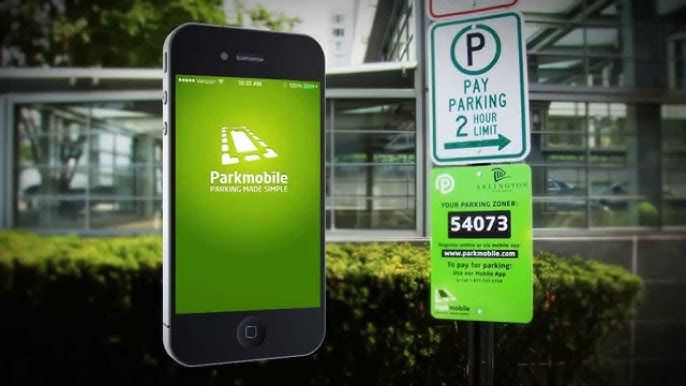

ParkMobile Pro Benefits Explained
4.5
Subscribing to MembershipTo enroll in ParkMobile Pro:1. Launch the App or Website: Launch ParkMobile on your device, or open parkmobile.io.2. Tap to Open Settings Menu: Enter your account settings by tapping on your profile icon.3. Upgrade Option: Select “Upgrade to Pro”.4. Payment Process: Te follow the prompts for payment, usually around $0.99 per month, and your Pro membership will be activated.Unique FeaturesBy signing up with ParkMobile Pro, a host of premium features are unlocked for its users:1. Parking Availability Notifications: Get notifications on available spots near your location in real time, based on your preference.2. Quicker Checkouts: Experience faster checkouts during peak hours while booking parking spots.3. Priority Customer Support: Have priority access to special support channels for inquiries and issues about your reservations or how to manage your account.Using Pro FeaturesTo use these features:1. When looking for a place to park, have location services on to notify you when one is near.2. Checkout fast, which can save those valuable minutes when you have to run.

Add Vehicles to Your Account
4.5
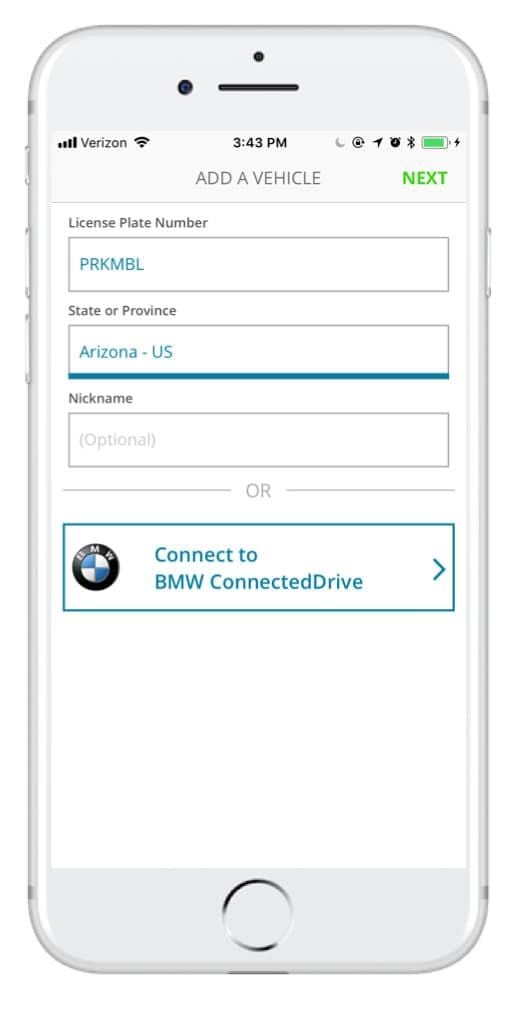
How to Add Vehicles1. Access via App or Website: Access ParkMobile from your smartphone or visit parkmobile.io from your computer.2. Settings Menu: Tap your profile icon to open settings in-app or tap “Account Settings” if you use the website.3. Vehicles Section: Tap on “Vehicles”-you see listed any entries, along with an option to add new.4. Add New Vehicle:- Tap “Add New” or click the “+” button next to existing vehicles.- Fill in any of the required information: license plate number, state of registration, and nickname.5. Save Changes: After entering all of the information, tap “Save” or “Add Vehicle.” Do this for multiple vehicles per account, up to five per account.6. Default Vehicle - Optional: You might want to select a default vehicle. That way, each time you go to make a reservation, the system will default to this vehicle unless changed by you.

Update ParkMobile
4.5
For Android Users:1. Open Google Play Store: Launch the Play Store app on your Android device.2. Open My Apps & Games: Tap the menu button-three horizontal lines in the upper left corner-open “My apps & games.”3. Locate ParkMobile: Scroll down to the bottom to list all installed applications and search for ParkMobile there.4. If available, it will say “Update” next to it; click that to begin downloading a newer version.iOS Users:1. App Store, Apple: Open the App Store from your iPhone or iPad.2. Your Profile Icon: Tap the profile icon at the right top of the screen.3. Look Down for Updates: Now locate your pending list for updates; if ParkMobile is in there, tap “update” on it.For PC Users:Since ParkMobile is web-based and accessed through browsers on PCs, all updates are done automatically on the server side. In case any issue arises while using parkmobile.io, just refresh your browser.

Ask Anything About Plants on Plantum
4
Just shoot any plant at all and in seconds the app's powerful artificial intelligence will identify it for you. However, Plantum goes beyond mere recognition: It offers tailored care guides for your own particular plant on watering, light exposure and fertilizing your sit-up-and-take-notice way around onboard. You are even able to diagnose plant diseases, get a customized cue for watering and other care chores, and enter an enormous encyclopedia of plant information.The app is a portable botanist right in your pocket, making it possible for everyone to take care of their plants. Whether you're a curious first-timer or an accomplished gardener, Plantum gives you the necessary information written into one easy open source handy smartphone, not just how to keep your plants alive and kicking merely as green things but rather a comprehensive answer hub for any plant related question.

Save Videos or Photos From Instagram
4.8
How to Save Content1. Download Videos(1) From Stories:- Tap your profile picture to view your story.- Click the three-dot symbol in the right corner of your video.- Click “Save” to download it directly to your device.(2) From Posts:- To save the posts you like without downloading them directly, you can tap the flag icon at the bottom right of the video post to save it in your Collections under Instagram.(3) Using Third-Party Apps:- For those that can’t be directly saved, consider using apps like “Video Downloader for Instagram” for Android or “Blaze: Browser & File Manager” for iPhone by copying the link of the video post. However, be respectful of privacy and copyright. Always ask for permission before downloading and using someone else’s content.2. Download Photos(1) Using Screenshots:- Take a screenshot of any image you want to save. But it may reduce the image quality.(2) Using Collections:- Like photos, on any photo post you like, tap the flag icon to save it in your Collections for easy access later.
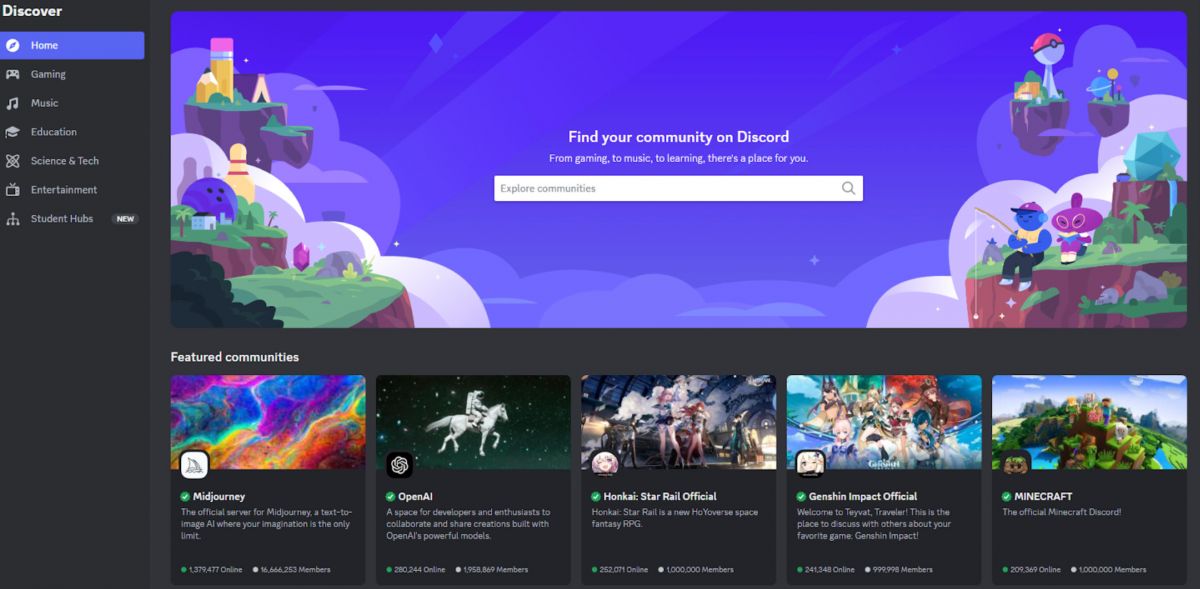
Streamline Your Discord Ecosystem
4.7
For busy channels where chats can explode, slowmode is your friend. Toss on a 5–10 second delay between messages so you aren’t drowning in spam. Announcement channels? Disable regular posting and only let staff or bots speak so info doesn’t get lost.Integrations and Webhooks enable real-world productivity. Integrate Discord with other apps such as GitHub, Trello, Twitch or even YouTube, which allows activity updates to be posted automatically into predetermined channels. You'll receive notifications on your Discord when a developer sends you a pull request, streams are automatically notifed when it goes live, and you'll know what's going on with your project tasks stream.Not enough people use scheduled events, and that's a shame. You can plan voice hangouts, stage talks, or outside stuff. People can RSVP ahead of time, which pumps up excitement and guarantees a bigger crowd.